Bring together the sources you already use.
Sylume is the player. Connect your own providers and it organises them into one calm, cinematic library. Nothing to hunt for, nothing bundled in.
Sylume is the player. You supply the sources. It never provides or hosts any content, and never recommends any source, channel, stream or playlist.
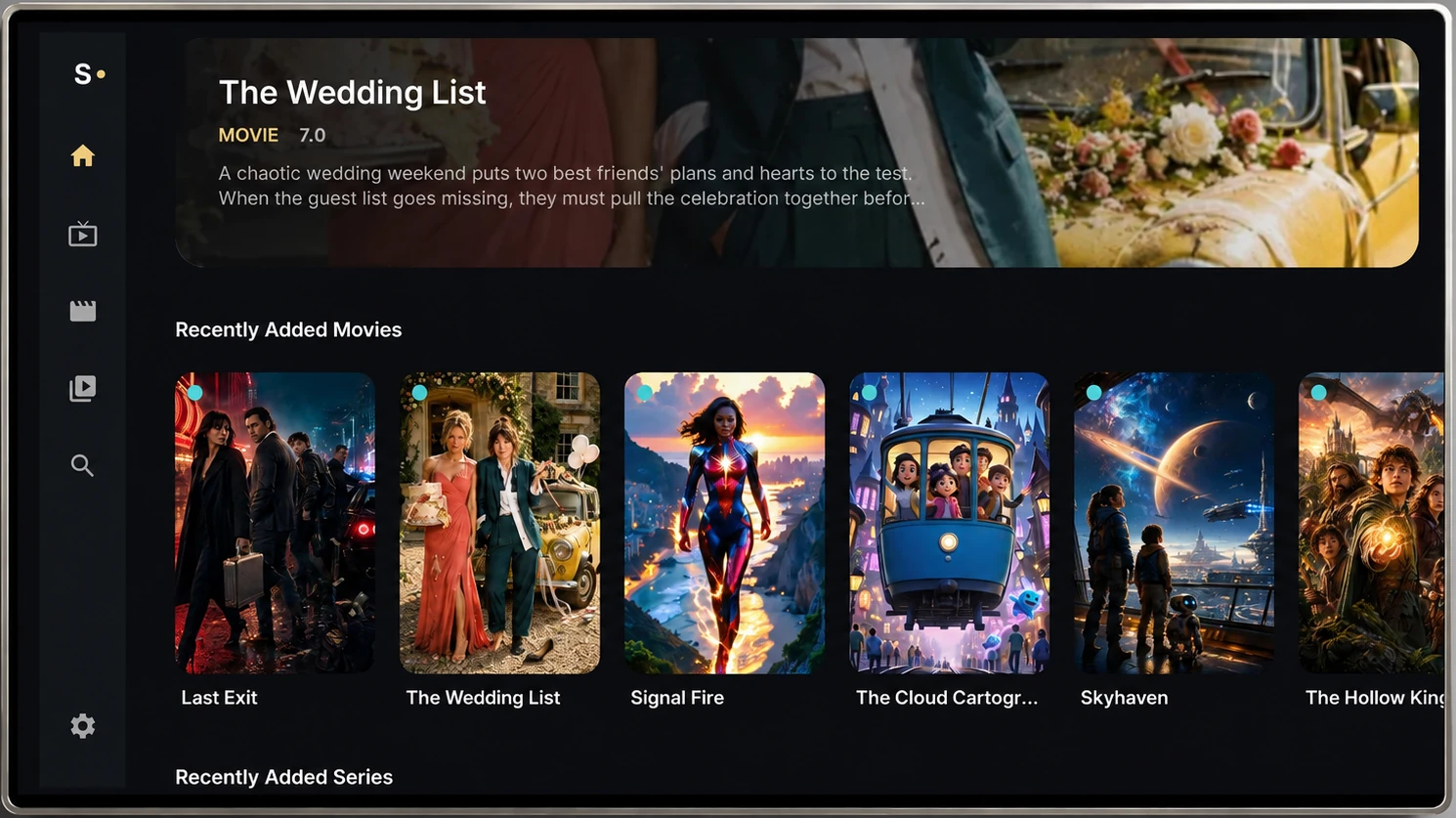
A home that knows you.
Open Sylume and you're already where you left off. The home screen surfaces what matters to you, across every source you've connected.
- Continue Watching, resumed to the second
- Favourites, pinned and always one click away
- Recently Added, gathered from all your providers
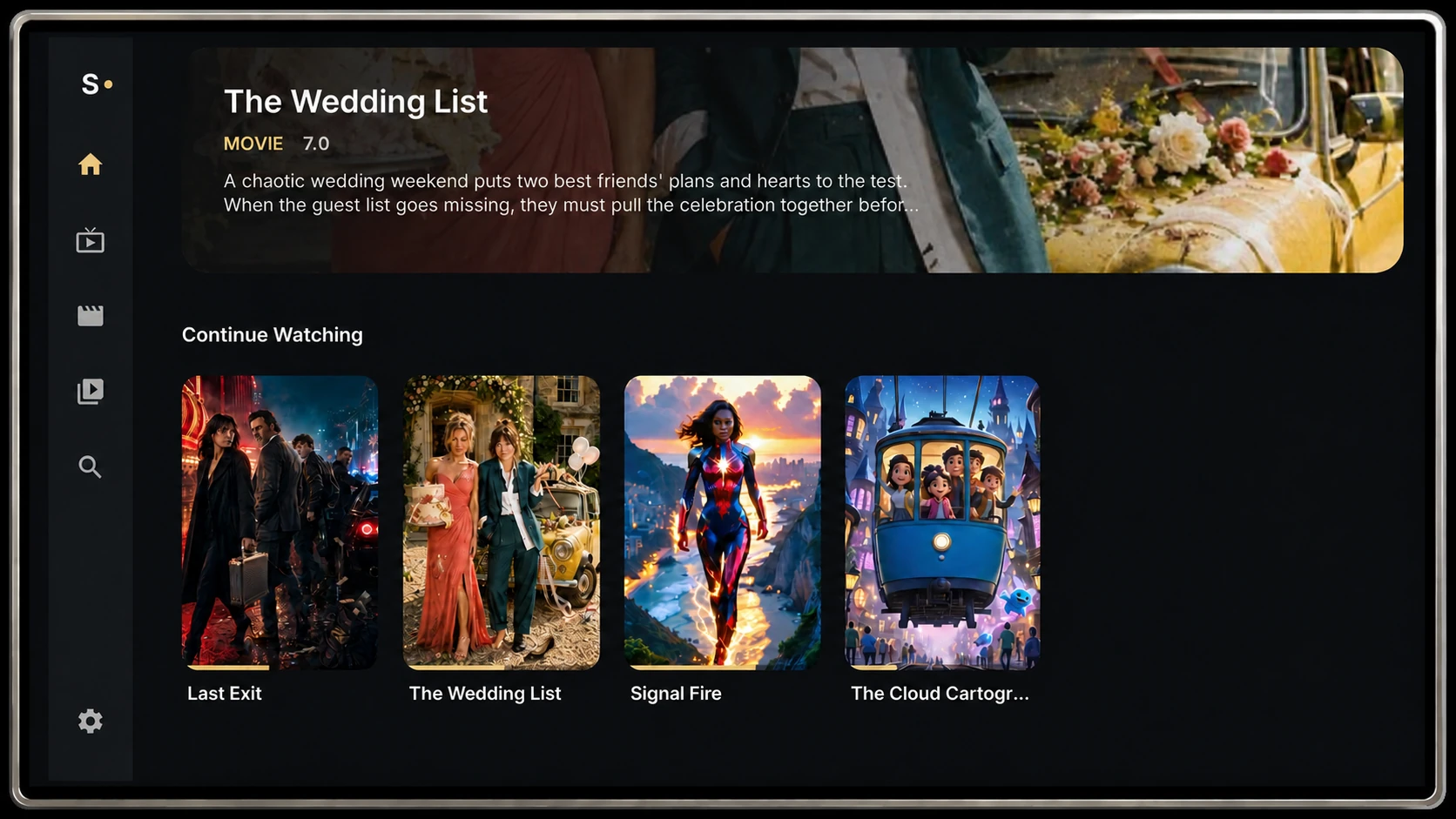
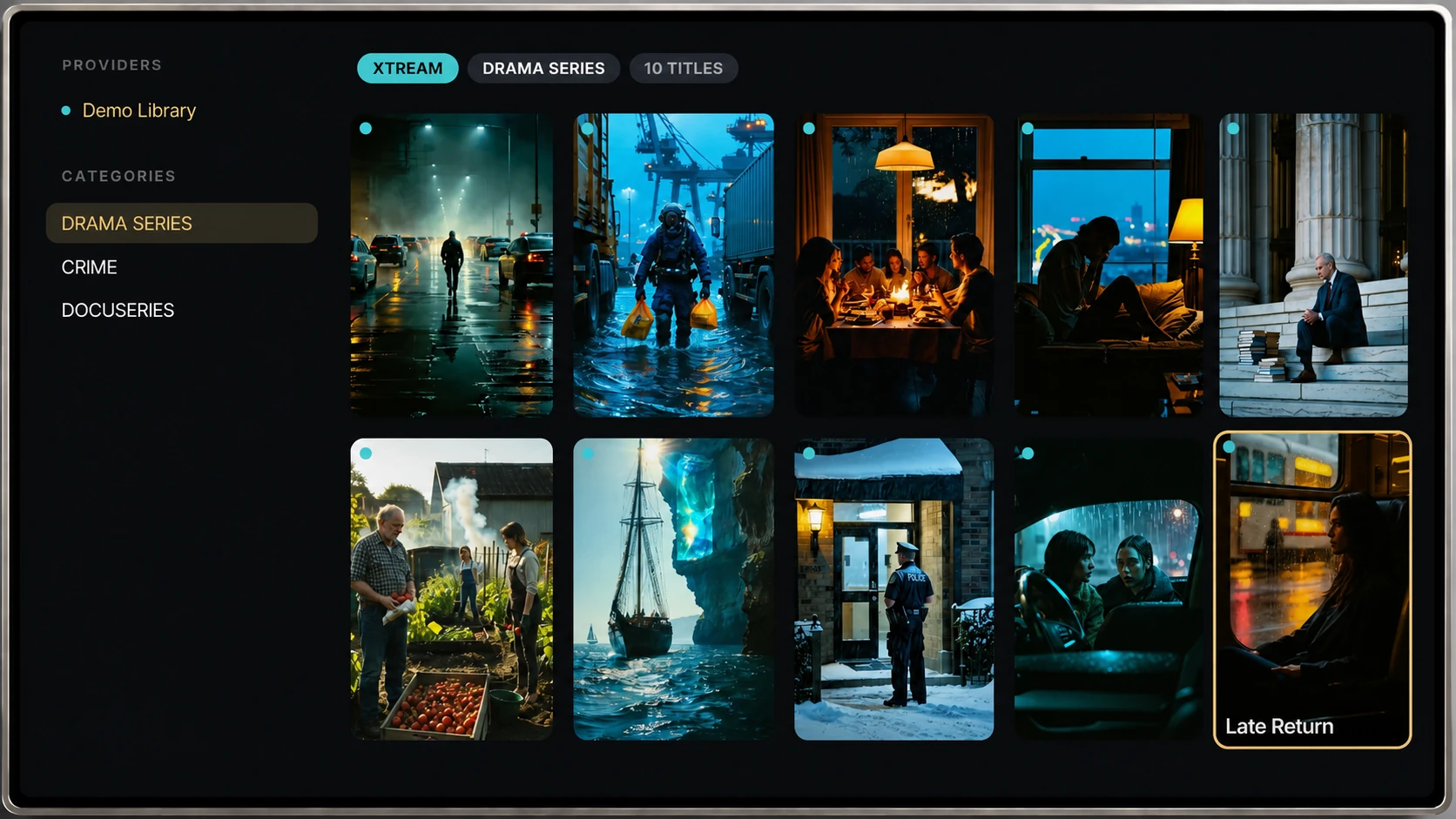
Movies & Series, beautifully organised.
Browse by provider and category in a clean poster grid. Rich detail pages bring season, episode and quality info together, so you always know what you're about to play.
- Poster grids that stay fast at thousands of items
- Seasons, episodes and watched-state in one view
- Quality badges for 4K and HDR at a glance
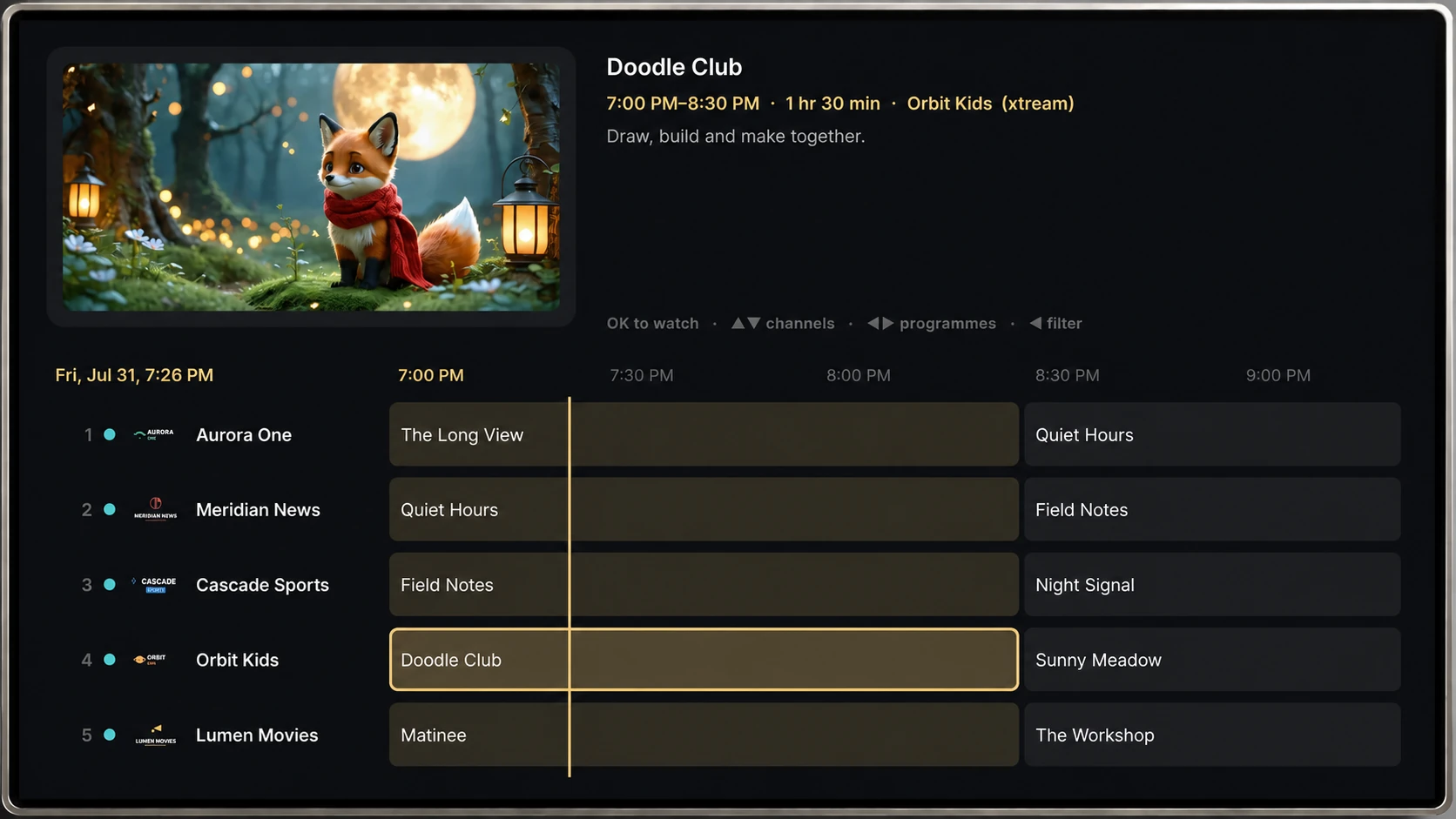
A live guide that feels instant.
A proper programme grid for your live sources, with a channel preview a click away. Find what's on now without losing your place.
- Preview any channel without leaving the guide
- Now / next timeline with a clear "now" marker
- Built for a remote, with smooth, predictable focus
Play now, or pick your stream.
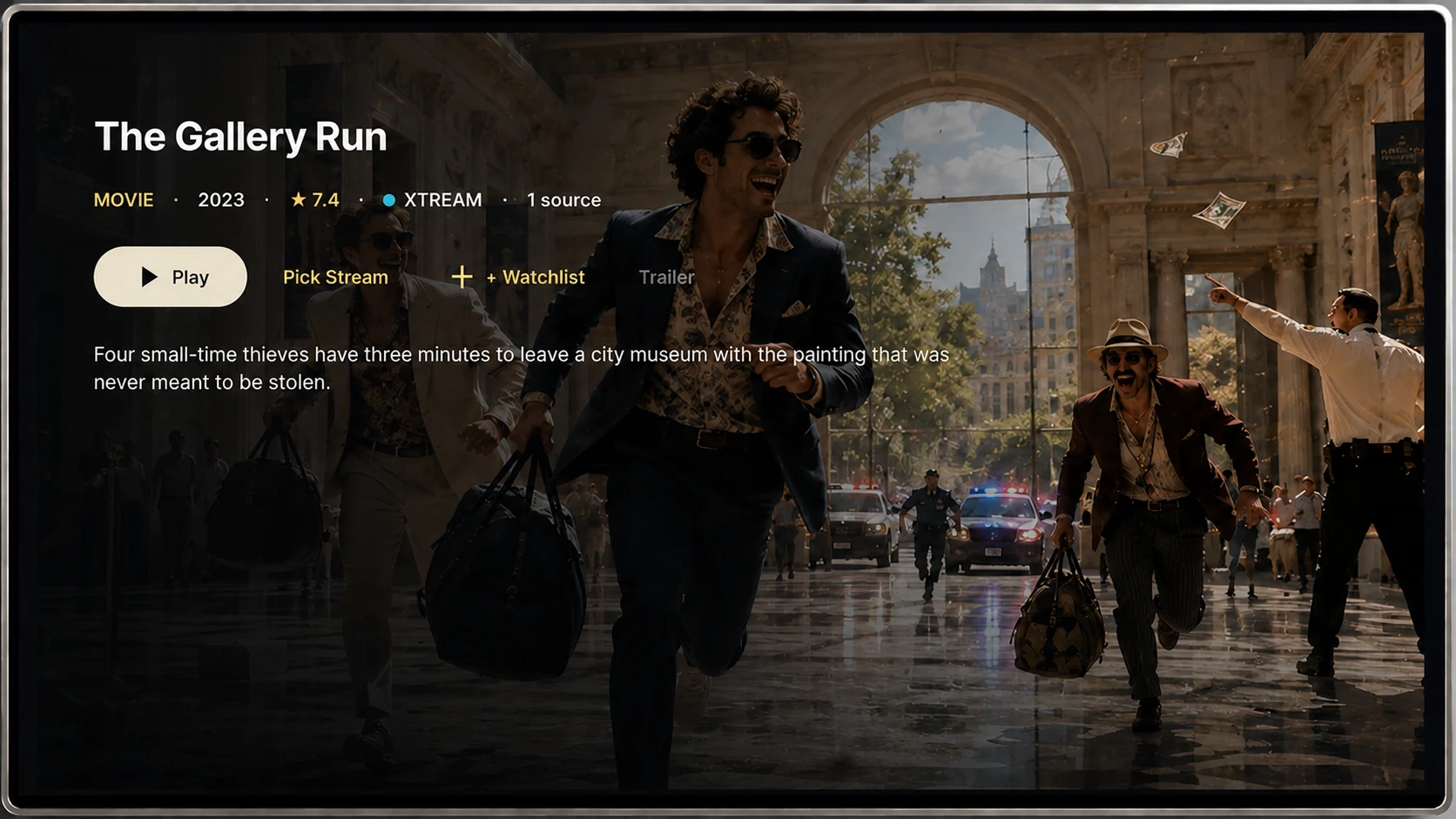
Every title opens to a rich detail page with full-bleed artwork, synopsis and rating, and the actions you want up front: play straight away, or pick exactly the stream you need.
- Play instantly, or Pick Stream to choose the source
- Add to your Watchlist, or preview with the trailer
- Full-bleed artwork, synopsis and rating at a glance
A player that just works.
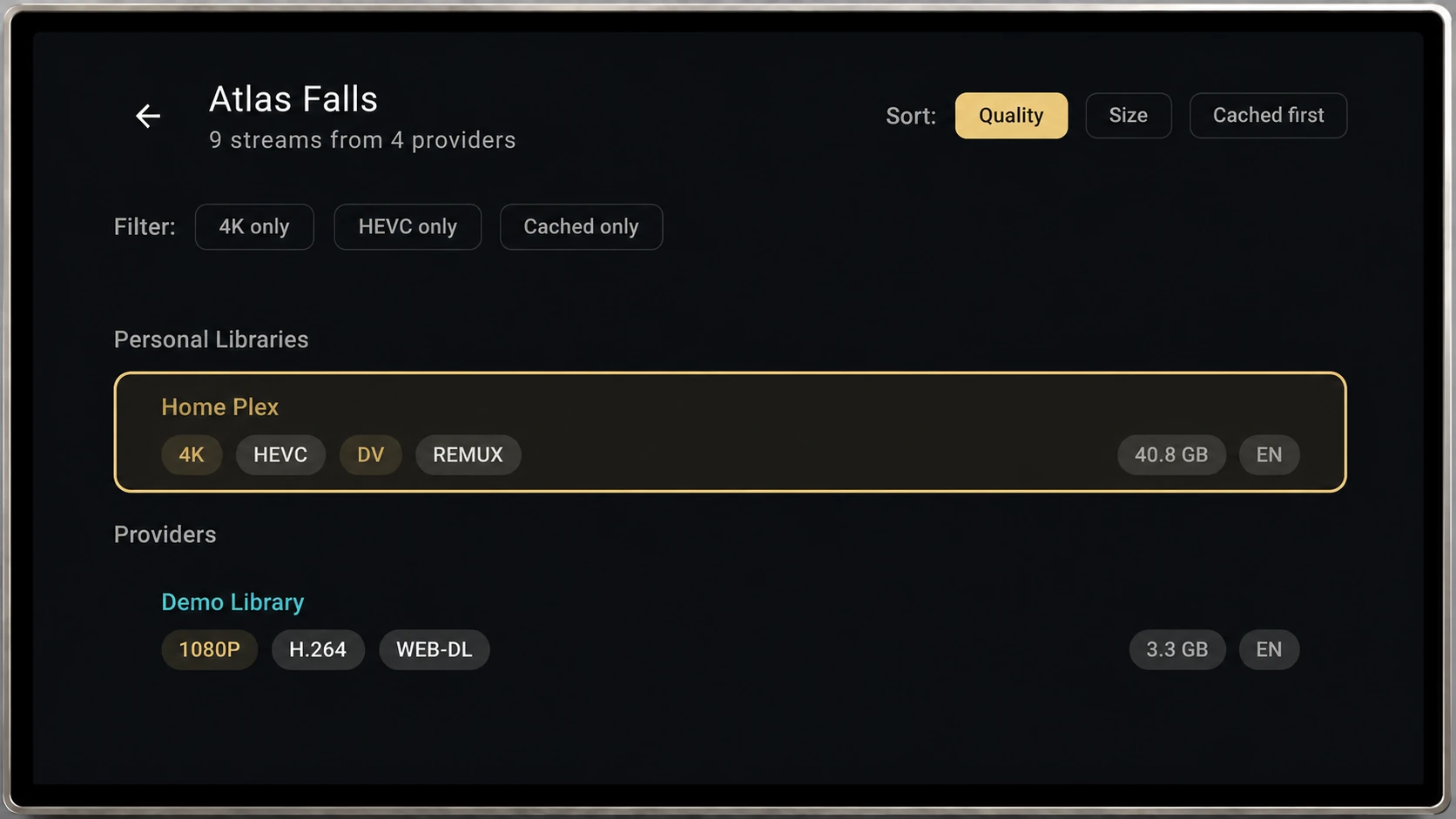
When a title has several streams, Sylume lays them out clearly with resolution, codec, size and availability, so you pick the right one and play. Resume is automatic, controls stay out of the way.
- Stream picker with filters for quality, 4K and HDR
- Clean playback controls that auto-hide
- Resume exactly where you stopped, every time
Private where it matters.
Sylume does not track what you watch, sell content, or bundle providers. Your sources stay yours.
No viewing profile
Add your own sources without creating a viewing profile. No Sylume account is needed to bring in your media.
No tracking
No behavioural analytics and no ad SDKs. Your watch history and favourites are kept on your device, not by Sylume. Services you choose to connect, such as Trakt, MDBList or your own Plex server, receive your viewing activity, because that is what connecting them does. The app sends crash reports so problems can be fixed; you can turn them off in Settings.
No Google sign-in
You don't need to sign in with Google. Sylume is built to run without Google Play Services where supported.
Made for the room you watch in.
Sylume is designed for the television first: readable from the sofa, driven by a remote, with focus that glides instead of jumps. Wherever Sylume goes next, the big screen stays the standard.
Good to know.
Does Sylume come with any channels or content?
No. Sylume is a player for content you already have. You connect your own sources and Sylume gives them one polished home. It does not include or sell channels, playlists or content of any kind, and does not recommend any source, channel, stream or playlist.
What can I connect?
Xtream logins, M3U playlists, Stalker/MAG portals, your own Plex library and supported add-ons. You can connect several at once and set the order you prefer.
Do I need an account?
No. There is no Sylume account and no sign-in. During the beta the app activates with a licence key, and your sources are stored on your device.
How do I install it?
Sylume installs as an APK on Fire TV and Android TV / Google TV. Download it below, move it to your TV with a transfer app such as Downloader, and install. The steps are laid out in the Download section.
What does Sylume know about what I watch?
Sylume does not keep a record of what you watch. Your history and favourites are kept on your device. Services you choose to connect, such as Trakt, MDBList or your own Plex server, receive your viewing activity, because that is what connecting them does. The app also looks up suggestions and title logos through Sylume's services as you browse; the Privacy Policy explains what that involves. Crash reports help us fix problems, and you can turn them off in Settings.
Is Sylume coming to phones and tablets?
A mobile app is planned. The television experience comes first, and mobile will follow once it meets the same standard.
Download Sylume.
Sylume is in a small private beta for Fire TV and Android TV. You need a licence key to activate, so if you've been sent one, download and install below.
Questions or issues? Reach us at [email protected].
Download the APK
Download the APK to your phone or computer, then move it to your TV with Downloader, Send Files to TV, or ADB.
Allow the install
On Fire TV: Settings → My Fire TV → Developer Options → Install unknown apps. On Android TV: allow installs for your transfer app.
Open and activate
Launch Sylume, enter the licence key you were sent, then add your first source.
Version 0.9.16 · Android TV / Google TV / Fire TV
SHA-256: 4a6d95d8f706402147f3df74e95f9433194af5219466c01a7ea3b023bd0ad592